Built for PhD students

The research workspace for finishing your PhD.

One workspace for the years of work a PhD actually takes, built on decades of dissertation advising. Sources, notes, research questions, and an AI advisor for the days between meetings with your real one. It knows the project, but knows the writing is yours.

~$15/MO $180/year · designed for the multi-year reality of a dissertation, not a single chat session.
Used by individual researchers from
Université Laval Texas A&M University Loughborough University + universities across North America
01 / How it works

Your first session with Quester.

No setup, no migration. Bring one paper and the workspace builds from there.

01

Add a paper.

Drop a PDF or paste a DOI. Quester pulls metadata, authors, abstract, and citations. No manual entry. No four versions of the same reading list.

02

Highlight what matters.

Notes link back to the passage they came from. Stay anchored to the source. Stay searchable in year five.

03

Pose a research question.

Notes and sources attach to it as you read. Your argument accumulates. Models hang off questions, in the order they should.

04

Ask the advisor.

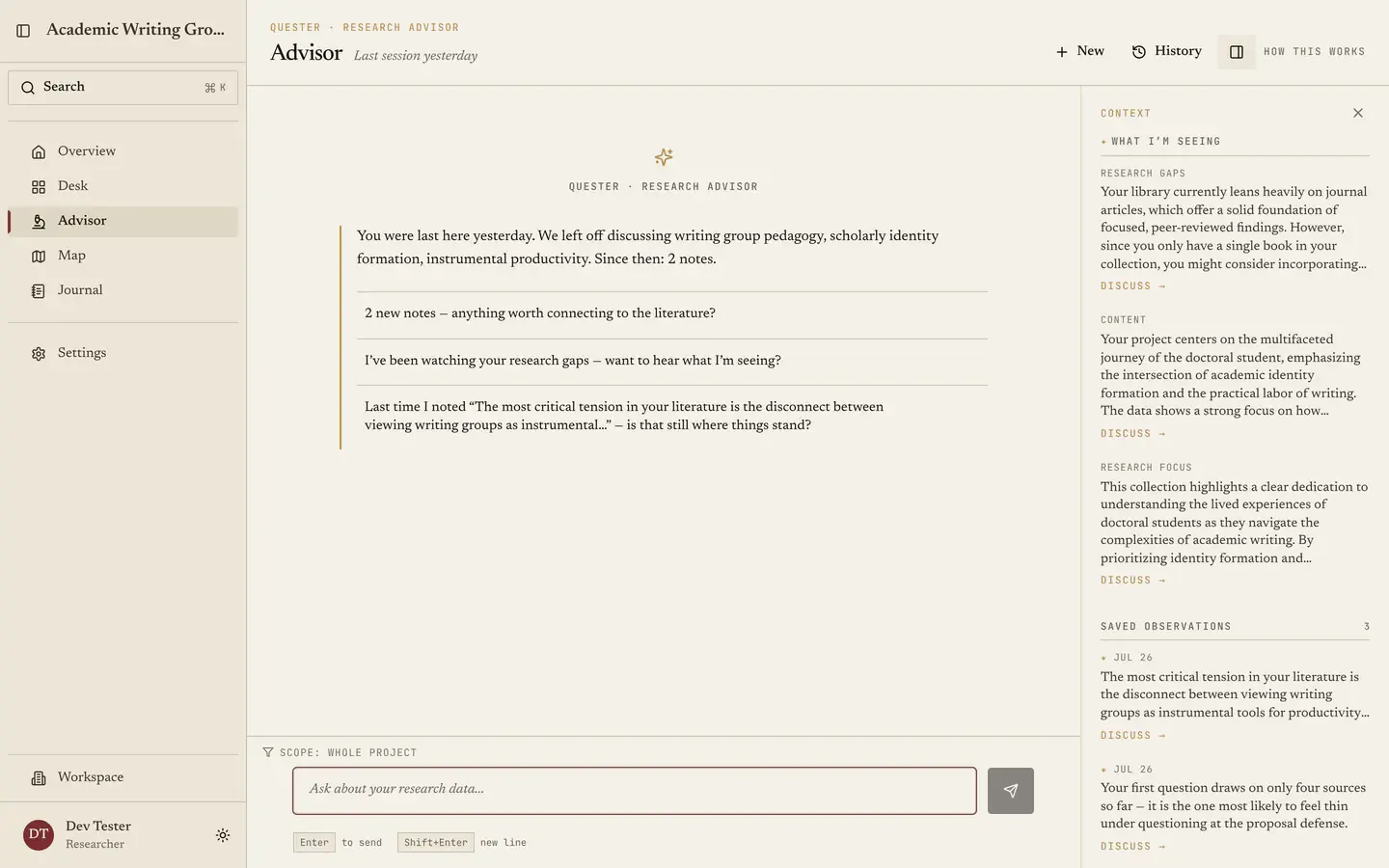
What themes are emerging? Where is my literature thin? What contradicts Q2? The advisor reads what you've read and gives you back gaps, contradictions, and source trails.

05

Export what you need.

Citation lists, theme maps, summary tables. Standard academic formats. Take your work with you, always.

Run this with your own paper Or keep scrolling. The workspace is below.
02 / The Workspace

What's actually in the workspace.

Sources, notes, research questions, and a graph of how they connect. The structure reflects what dissertation work actually needs: research questions before models, methodology before data.

01 Literature

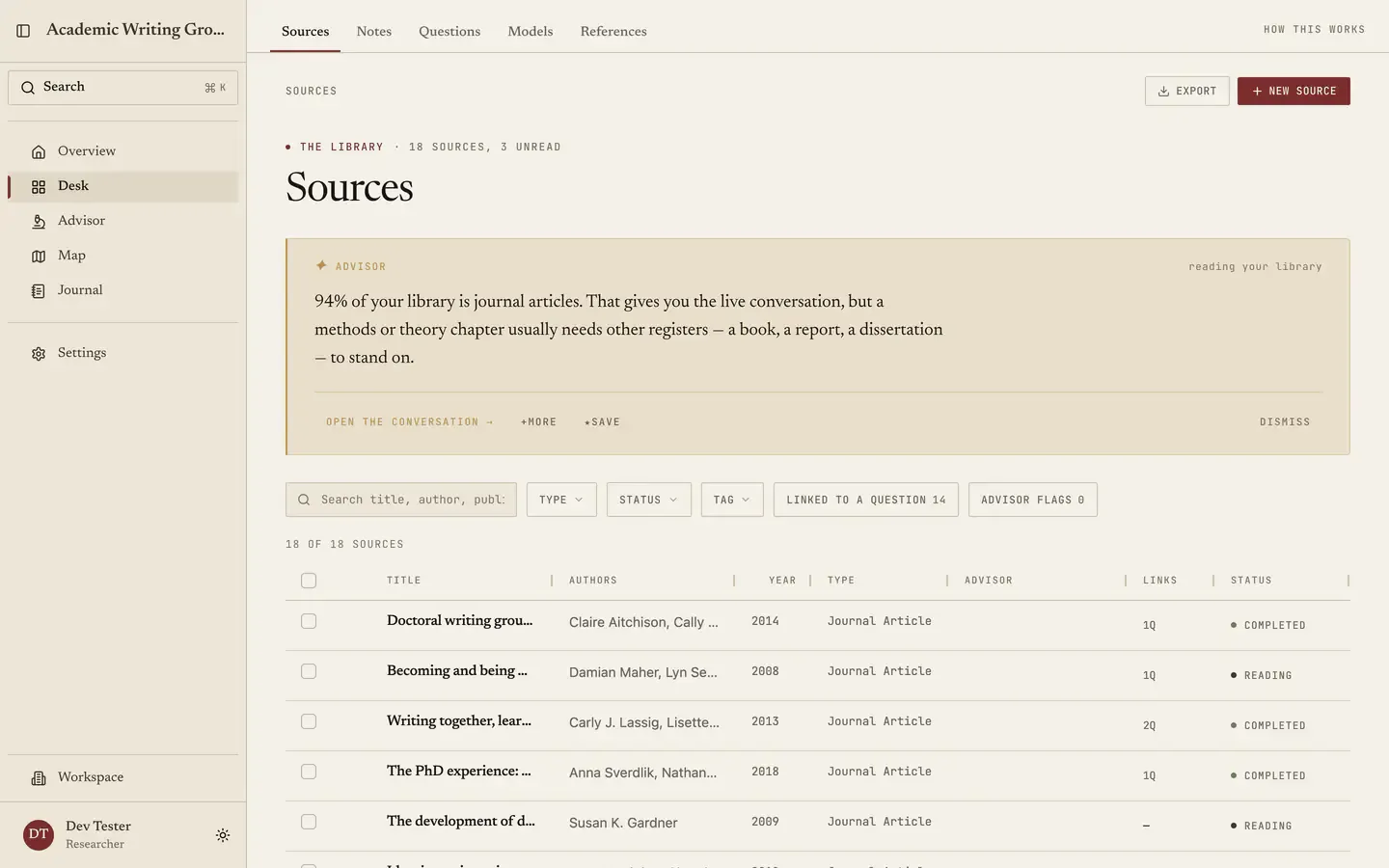
Every source, with the metadata you'll need at defense.

Import a Zotero export, upload PDFs, or paste a bibliography. Annotate, tag, and link to questions. Export citations in 9,000+ styles.

Find the sources you forgot you read.

Full-text search across every paper, note, and highlight in your library.

02 Connections

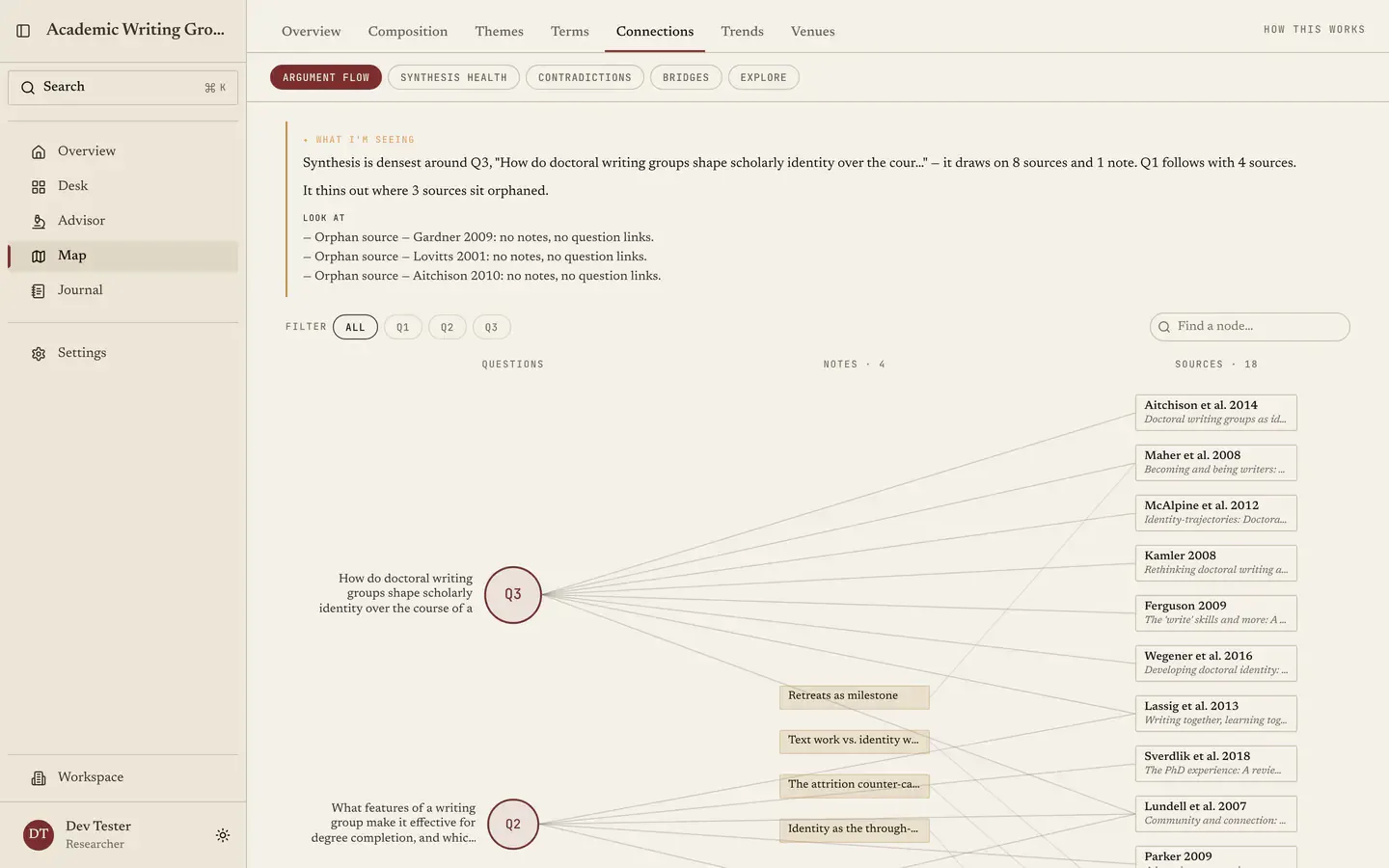
The graph of what you've read and concluded.

See which questions your sources actually answer, where notes reach the argument, and which reading still sits orphaned.

Turn scattered notes into a defensible literature map.

The graph view shows theme clusters and contradictions across your reading.

03 Questions & models

Questions before models.

The structure of a defensible dissertation, enforced gently. Build typed argument models (predictor, mediator, outcome) that tie back to a question.

See which questions have enough support.

Every question shows the sources, notes, and models that back it, and the ones still missing.

04 Notes

Notes that persist across years, not sessions.

Linked to literature, to questions, to each other. Your year-one thinking is still here in year five, organized the way you'll need it for the chapter you haven't written yet.

Ask across your whole corpus, not one PDF at a time.

The advisor opens already knowing every source, note, and conclusion in your project.

03 / The advisor

An advisor that knows the work is yours.

An advisor for the days between meetings with your real one. It opens knowing your sources, your questions, your notes, and what your committee asked at your proposal defense. Its judgment is earned from decades of dissertation advising. It does the work of a junior collaborator. It will not do the work of the scholar.

It begins as a reader of your project and deepens from there. A semester in, it remembers what you've forgotten: the revised question, the note in the margin, what chapter 2 was supposed to argue. When you log in, you're continuing a conversation with a version of yourself who's been keeping notes.

Try a prompt
Illustrative advisor exchange
Choose a prompt
The advisor responds
The strongest counter-argument deserves your serious engagement.
What pushes back on the question
  • Your second question presumes a causal link Williams (2019) explicitly rejects
  • Two of your own sources treat the relationship as bidirectional, not directional
  • Your current sampling strategy wouldn't catch the alternative explanation
  • Better to meet that objection in the proposal than let the committee raise it first
Quester's research advisor answering a question about an 18-source library and surfacing a tension between two positions in the reading, each grounded in named sources.
Not a demo reel. This is the actual workspace reading a real library on doctoral writing groups. The advisor answers with what your sources say, and where they disagree.
The advisor will outline, surface, and challenge. Why we built it this way → Put the advisor on your project
04 / Compared to your current stack

Why not just Zotero + Notion + ChatGPT?

Each tool does a piece of the work. The cost is that none of them know about each other. Quester's value is the connection: sources, notes, claims, and questions held together across the years a dissertation takes.

What dissertation work needs
Generic AI
Ref. Manager
Notes App
Quester
Connects papers to research questions Sources tied to the arguments they support
Weak
No
Manual
Yes
Preserves project context across years Not just this chat, this session, this folder
Weak
Partial
Manual
Yes
Helps without ghostwriting AI that protects authorship instead of automating it
Depends
No AI
No AI
By design
Tracks sources, notes, claims, gaps together One workspace, not four tools talking past each other
No
Sources only
Manual
Yes
Adapts as your reading grows New papers reshape the themes and gaps in your project
No memory
No
Manual
Yes
Typical annual cost What the comparable paid tier actually costs
~$240/yr
Free–$300
Free–$120
Connects papers to research questions
Sources tied to the arguments they support
Quester Yes
Generic AI
Weak
Ref. Manager
No
Notes App
Manual
Preserves project context across years
Not just this chat, this session, this folder
Quester Yes
Generic AI
Weak
Ref. Manager
Partial
Notes App
Manual
Helps without ghostwriting
AI that protects authorship instead of automating it
Quester By design
Generic AI
Depends
Ref. Manager
No AI
Notes App
No AI
Tracks sources, notes, claims, gaps together
One workspace, not four tools talking past each other
Quester Yes
Generic AI
No
Ref. Manager
Sources only
Notes App
Manual
Adapts as your reading grows
New papers reshape the themes and gaps in your project
Quester Yes
Generic AI
No memory
Ref. Manager
No
Notes App
Manual
Typical annual cost
What the comparable paid tier actually costs
Quester See pricing
Generic AI
~$240/yr
Ref. Manager
Free–$300
Notes App
Free–$120
Replace the stack. Start free No credit card. One paper to start.
05 / What researchers say

From the people doing the work.

Quester has been an invaluable asset to my research journey. It teaches me aspects of research that weren't covered in my coursework. It's more than a tool; it's a mentor in my academic pursuits.

Brian C. PhD Candidate, Political Science · Université Laval

Quester helped me write grants and articles by quickly identifying gaps in the literature, visualizing conceptual models, and determining the novelty of my research methods.

Dr. Dane Bozeman PhD, Curriculum & Instruction · Texas A&M University
06 / Pricing

Built for a grad-student budget.

A dissertation is the longest project most people will ever take on. Software shouldn't be the friction.

Explorer
Free
No time limit

For testing the workspace on a single research question or chapter.

Start free
  • The free tier has no time limit. The full workspace: sources, notes, research questions, exports. No card.
  • Import 8 sources, get 14 days of Scholar. Automatically, including the full advisor. No credit card, no auto-renewal.
  • When the preview ends, your workspace stays exactly as it was. Only the synthesis features pause. Export to standard formats anytime; we don't lock you in.
07 / Things to know

The honest answers.

Will it write my dissertation?

No. By design and by belief. The advisor declines tasks that constitute authorship: drafts of chapters, generated literature reviews, and written conclusions. It handles citations, summaries, gap-finding, methodology checks, and the executional work of scholarship. The thinking stays with you.

Does Quester train AI on my research?

No. Sources, notes, and questions aren't used to train any AI model, whether Quester's or otherwise. Pre-publication work stays private.

What if my advisor doesn't allow AI?

Quester works as a structured workspace without the advisor on. You'll have sources, notes, questions, and methodology organized whether or not you ever use the AI. Many users start in this mode and turn the advisor on later, if at all.
All the honest answers

Open Quester. Bring one paper.

The workspace begins where you are. Free to start; the full advisor unlocks once you've imported eight sources.

Start free
No credit card required
Or read the manifesto on why we built this